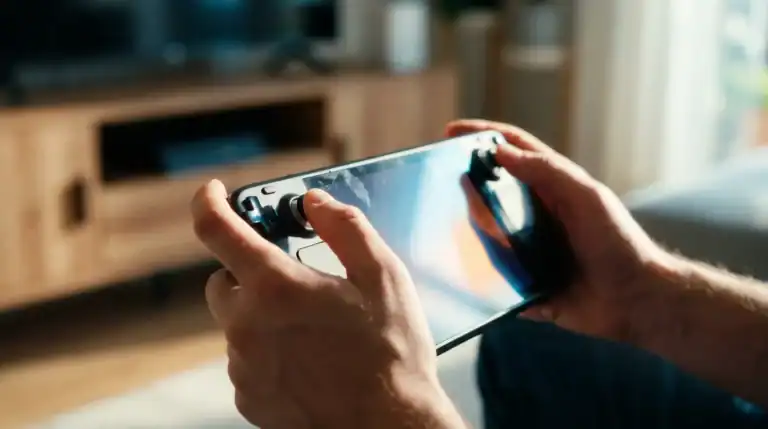
Best Games for Retroid Pocket 5 in 2026 (What I Actually Play)
I’ve had the Retroid Pocket 5 for about four months now. In that time, I’ve used it more than my Steam Deck, and that’s saying something, because I love my Steam Deck.
What makes the RP5 special isn’t just that it can emulate a lot of systems. It’s that it does it cleanly. No constant tinkering, no stutters mid-boss fight, no shader compilation hitch right when you’re in a clutch moment. You load a game and it just runs.
This list is what I keep coming back to. Not a library dump, actual recommendations with specific notes on how they run. If you want the full device breakdown, check my Retroid Pocket 5 review. This article is purely about the games.
What the Retroid Pocket 5 Can Actually Handle
Before the list, a quick reality check on what this thing runs well:
- PSP and PS Vita, Flawless. Every PSP game I’ve tried runs at full speed. Vita via Vita3K is hit or miss depending on the game.
- PS2, Excellent. 90% of games run great at 2x or 3x resolution. A few demanding titles need tweaks.
- GameCube and Wii, Very good. Most first-party titles run well. Some third-party ports need settings adjustments.
- Nintendo Switch, Surprisingly capable via Yuzu/Sudachi forks. Docked-mode games are mostly playable. Some demanding titles struggle.
- Dreamcast, N64, SNES, GBA, Easy. These run without a second thought.
- PS3, Not really. RPCS3 can run some games, but it’s not reliable enough to recommend.
- Android games, Very good. High-performance titles like Genshin and Diablo Immortal run well with settings adjustments.
PSP, The Sweet Spot
PSP emulation on the RP5 is genuinely perfect. Every game runs at full speed, the PPSSPP upscaling makes the graphics look far better than the original hardware, and you can play with actual analog sticks. If you grew up with a PSP and never got to finish the library, now’s the time.
God of War: Ghost of Sparta
This is still the best God of War game nobody played. It came out on PSP in 2010, was overlooked because everyone had moved on, and it’s a masterpiece. The story bridges the gap between GoW2 and GoW3 and it controls beautifully on the RP5’s physical layout. Run it at 4x resolution in PPSSPP and it genuinely looks like a remaster.
Performance on RP5: Locked 60fps the entire time. No issues.
Persona 3 Portable
If you haven’t played P3P, the RP5 is a great way to do it. The portable version has QoL features the PS2 original doesn’t, and the game holds up extremely well. The story hits harder than I remembered.
Performance on RP5: Locked 60fps. Perfect.
Monster Hunter Freedom Unite
This one will eat your life. MHFU has hundreds of hours of content and it’s the kind of game you play in short bursts, perfect for a handheld. The RP5’s analog sticks make the camera control far better than the original PSP’s nub ever managed.
Performance on RP5: Perfect. This is exactly the kind of game the RP5 was made for.
Crisis Core: Final Fantasy VII (PSP original)
Before the PS5 remake, there was Crisis Core on PSP. It still holds up as a standalone story and it’s a much tighter experience than the remake. Good for a first playthrough before you play the remaster on a console.
Performance on RP5: Smooth throughout.
PS2, The Golden Age
The PS2 library is ridiculous. Over 4,000 games. The RP5 handles the vast majority at 2x or higher resolution via AetherSX2.
Shadow of the Colossus
Still one of the greatest games ever made. The RP5 handles it at 3x resolution with a locked framerate, something the original PS2 couldn’t even manage. If you’ve never played it, this is the best version available outside of the PS4 remaster.
Performance on RP5: Excellent at 2x resolution. 3x is stable on most platforms but drops slightly in certain areas.
Ico
The companion game to Shadow of the Colossus. Shorter, quieter, and still hauntingly beautiful. Ico runs perfectly on the RP5 and the experience of guiding Yorda through those massive castle rooms is just as effective on a small screen.
Performance on RP5: Locked 60fps at 3x resolution.
Ratchet & Clank: Up Your Arsenal
The third Ratchet & Clank game is the high point of the PS2 era for the series. Great weapons, great level design, and it holds up well in terms of controls with the RP5’s dual sticks.
Performance on RP5: Very good. Minor slowdowns in a couple of heavily populated areas. Mostly smooth.
Silent Hill 2
I don’t need to sell you on this one. Run at 2x resolution with widescreen patches enabled, and it’s a legitimately great way to experience the game. The atmosphere comes through just fine on the RP5’s AMOLED screen.
Performance on RP5: Runs well. Enable the widescreen hack in AetherSX2.
Kingdom Hearts 2
One of the few games where the sequels are significantly better than the original. KH2’s combat system is genuinely great and the RP5 has no trouble running it.
Performance on RP5: Smooth throughout. Run at 3x resolution.
GameCube, Nintendo’s Overlooked Era
The GameCube had a smaller library than its competitors but a higher hit rate. Most first-party titles run great on the RP5 via Dolphin.
Metroid Prime
This holds up. Running Metroid Prime in 2026 on a handheld you can take anywhere, that’s a genuinely great experience. The controls feel natural with the RP5’s layout once you remap them. The atmosphere is still incredible.
Performance on RP5: Solid 60fps at 2x resolution. No drops.
The Legend of Zelda: The Wind Waker
The most underrated Zelda game of the 3D era. People had weird opinions about the art style when it launched but it looks fantastic now, the cel-shading ages beautifully. The sailing sections that everyone complained about are actually meditative.
Performance on RP5: Excellent. Very stable.
F-Zero GX
The fastest racing game ever made, it’s still not been beaten. It runs butter smooth on the RP5 and the physics feel tight.
Performance on RP5: Locked 60fps. Perfect.
Resident Evil 4 (Original)
Yes, there’s a remake. Yes, the original is still worth playing. The original RE4’s gameplay loop has a different rhythm to the remake and it’s interesting to compare them.
Performance on RP5: No problems. Play at 2x resolution.
Nintendo Switch, Ambitious but Capable
Switch emulation on Android has come a long way. The RP5 running Sudachi can handle a lot of Switch games in handheld mode resolution and some in docked mode.
Hades
A perfect game for the RP5. Hades runs almost flawlessly in emulation, the sessions are naturally short (a run is 20-40 minutes), and the roguelite loop is exactly the kind of thing you want on a handheld. If you somehow haven’t played Hades yet, start here.
Performance on RP5: Excellent. Near-native.
Hollow Knight
Runs great. One of the best games of the last decade, and it plays beautifully on the RP5’s screen. The dark visuals look especially striking on the AMOLED display.
Performance on RP5: Stable 60fps.
The Legend of Zelda: Breath of the Wild
BotW works in emulation and runs decently on the RP5. Expect drops in intense combat and in some larger areas. Handheld mode settings get you the smoothest experience.
Performance on RP5: Mostly playable. 30-45fps range. Lower resolution in emulation settings for more stability.
Android Native Games
The RP5 runs Android natively which means any Android game is an option. A few work especially well with physical controls.
Diablo Immortal
Say what you want about the monetization, Diablo Immortal is actually a good Diablo game underneath all that. It has full controller support, runs smoothly on the RP5 at high settings, and the gameplay loop is genuinely addictive if you keep your wallet in your pocket.
Performance on RP5: Excellent. High settings, locked framerate.
Pascal’s Wager
An action RPG clearly inspired by Dark Souls that controls beautifully with physical buttons. Criminally underrated on mobile. Full controller support, good performance, and a surprising amount of depth for an Android game.
Performance on RP5: Great. Solid 60fps throughout.
Stardew Valley
The definitive version for this kind of play. Long play sessions, no premium currency, and perfect controller support. Stardew Valley on a couch with a real handheld is a significantly better experience than on a phone.
Performance on RP5: Flawless. No issues.
A Few Setup Tips Before You Start
Get the right emulators: PPSSPP for PSP, AetherSX2 for PS2, Dolphin for GameCube/Wii, Sudachi for Switch. These are the ones that perform best on Android.
Use Daijishō as a frontend: It’s the cleanest game launcher available and makes the RP5 feel like a real gaming device rather than a phone running emulators. Themes and scraped box art make a big difference.
Save your settings per game: Both PPSSPP and Dolphin let you save settings on a per-game basis. Once you dial in the right resolution and settings for each game, save them. You won’t need to re-tune every time.
Check emulation compatibility lists: The PPSSPP, Dolphin, and Yuzu compatibility wikis will save you frustration. If a game is listed as “broken,” don’t spend an hour trying to make it work.
Bottom Line
The Retroid Pocket 5 handles an enormous range of games. PSP and PS2 are the sweet spots, every game I’ve tried on both platforms just works. GameCube is close behind. Switch is a bonus that’s better than expected but not yet perfect.
If you’re looking for more device comparisons, check the best emulation handhelds guide or the Retroid Pocket 5 vs Steam Deck breakdown.
FAQ
What is the best emulator for the Retroid Pocket 5?
PPSSPP for PSP games, AetherSX2 for PS2, and Dolphin for GameCube and Wii. For Switch games, Sudachi (a Yuzu fork) works well on Android. All four are free.
Can the Retroid Pocket 5 run Nintendo Switch games?
Yes, via Sudachi emulation. Many Switch games run well, especially less demanding titles. Some AAA games like Breath of the Wild run but with frame drops. Handheld-mode settings in Sudachi give the best results.
Is the Retroid Pocket 5 good for PS2 emulation?
Very good. AetherSX2 handles the majority of the PS2 library at 2x or 3x resolution with stable framerates, often better than the original hardware managed.
Do you need to bring your own game files for emulation?
Yes. Emulators are legal to use, but you need to dump your own game files from physical discs or cartridges. The RP5 comes with no games installed.