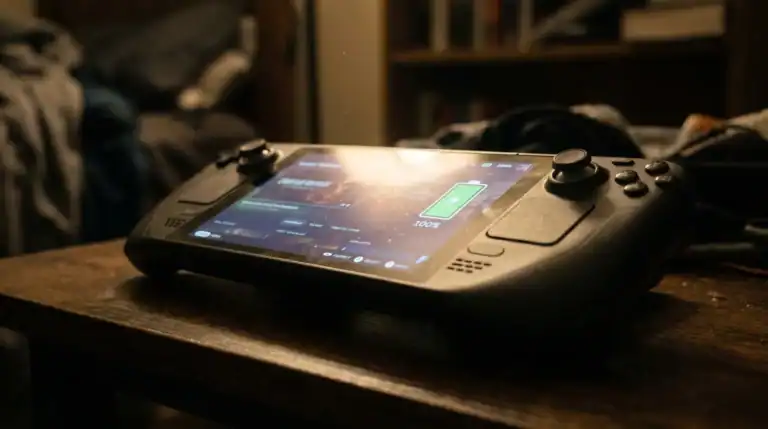
Steam Deck OLED Review

Steam Deck OLED Review: Is It Worth the Upgrade in 2026?

The Steam Deck OLED landed in late 2024, and it’s still the best handheld gaming device you can buy — period. But is it worth upgrading from the LCD model? And if you’re new to Steam Deck, should you go all-in on the OLED version?

I’ve spent hundreds of hours on both. Here’s the honest breakdown.

Quick Specs

Feature Steam Deck OLED Steam Deck LCD
Display 7.4″ OLED, 1280×800 7″ LCD, 1280×800
Brightness 1000 nits (HDR) 400 nits
Refresh Rate 90Hz (games stay at 60Hz) 60Hz
CPU/GPU AMD Zen 2 + RDNA 2 Same
RAM 16GB 16GB
Storage 256GB/512GB SSD 64GB/256GB/512GB
Battery 50Wh (~2.5–8 hours) 40Wh (~2–8 hours)
Weight 575g 567g
Price $549 (256GB) / $649 (512GB) $449 (256GB) / $549 (512GB)

Bottom line: The display is the only real difference. The CPU/GPU/RAM are identical. Everything else is minor tweaks.

The Display: Why OLED Changes Everything

Let’s be real: the OLED screen is why you’re considering this upgrade.

The difference is immediately noticeable. Colors pop. Blacks are actually black (not “dark gray”). Games that support HDR—like Baldur’s Gate 3, Dragon’s Dogma 2, and Alan Wake 2—look stunning. You’re looking at perfect contrast ratios, deep colors, and vibrant brightness that the old LCD couldn’t touch.

The 1000-nit peak brightness in HDR mode makes gaming in sunlight actually feasible. I’ve played outdoors in bright daylight and could see everything clearly. Try that on the LCD and you’re squinting.

The 90Hz refresh rate is marketed hard, but here’s the caveat: most games run at 60fps anyway. You won’t see the benefit unless developers enable 90fps modes—and most haven’t yet. Fortnite and a few others support it, but the vast majority of your library will still lock at 60fps. The higher refresh rate is nice for menu navigation, but it’s not a game-changer.

The catch: OLED screens can develop burn-in. Valve says they’ve optimized the panel and firmware to minimize this (with screen dimming for static UI elements), but the risk exists. If you’re the type who leaves the Steam menu on screen for hours, keep that in mind. Most people won’t run into this playing games.

Performance & CPU: Still the Same Old APU

Here’s where I need to be honest: the Steam Deck’s CPU is from 2019. It’s good, but it’s old. Valve didn’t upgrade it in the OLED model—they’re using the exact same AMD Zen 2 processor.

This means demanding AAA games still need tweaking. Cyberpunk 2077? You’re running at 1024×768 on low settings to hit 30fps. Dragon’s Age: The Veilguard? 720p, low-ish settings. These still look good on the OLED display, but you’re not playing these games at ultra settings.

SteamOS’s Proton layer keeps improving (Valve’s ongoing effort to run Windows games natively), so older Windows-exclusive titles work better now than they did at launch. But some recent Windows games still need workarounds or won’t run at all.

If you want native 60fps gaming on maxed settings, you won’t find it here. But if you want solid 60fps at medium settings on hundreds of games? The Steam Deck OLED delivers.

Battery Life: The Practical Upgrade

The OLED model packs a 50Wh battery (vs. 40Wh on LCD). In real-world testing, you’re getting about 1–2 hours more per charge depending on what you’re playing.

Lighter games like Slay the Spire or Hades will hit 6–8 hours. Demanding games like Baldur’s Gate 3 get 2–3 hours. It’s not a huge jump from the LCD, but it’s noticeable and welcome.

The better display efficiency helps too—OLED pixels produce their own light, so less power is wasted on backlights. Not a game-changer, but meaningful if you’re a frequent traveler.

Game Library & SteamOS: Windows Gaming in Your Pocket

Here’s what makes the Steam Deck special: it runs your Steam library. Thousands of native Linux games, plus hundreds more through Proton (Windows game compatibility layer).

Games verified as “Deck Verified” or “Playable” work without issues. Anti-cheat games are still a problem (some Valve Anti-Cheat and BattlEye games block Proton), but Valve keeps improving compatibility.

The real strength is depth: you get everything from indie gems like Dave the Diver to AAA games like Baldur’s Gate 3. Finding a game that doesn’t run is increasingly rare.

One thing to know: if you use your Steam Deck to play Windows-specific online games (like Valorant or Fortnite via Epic Games Launcher), you’ll hit more hurdles. Most casual gaming works fine. Competitive multiplayer gets complicated.

Emulation: The Secret Power

This is where the Steam Deck really shines. Install EmuDeck, and you’ve got access to decades of gaming history: NES, SNES, Nintendo 64, PlayStation 1, Dreamcast, Game Boy, Game Gear—all running beautifully on the OLED’s gorgeous display.

The OLED screen especially transforms retro games. Pixel art games that looked okay on the LCD look alive on OLED. The color accuracy is a huge step up.

Setting up emulation takes maybe 30 minutes with EmuDeck’s automated installer. We’ve got a full guide to setting up EmuDeck if you need help.

The performance gap between LCD and OLED for emulation is negligible (same CPU), but the display difference is massive. Old 8-bit and 16-bit games feel premium when rendered on an OLED panel.

Build Quality & Design

The OLED model is marginally heavier (575g vs. 567g) and slightly thicker, but you won’t notice the difference. Both feel solid and durable.

The build quality is identical: plastic chassis, thumbsticks (which do drift over time—buy replacements), and the same button layout. Valve hasn’t fixed the stick drift issue, which is the main hardware complaint. Fortunately, replacement sticks cost $15 and are easy to swap.

The OLED model did get improved speakers and better haptics, which matter more than you’d think for immersion. The LCD speakers are tinny by comparison.

Who Should Buy the OLED

  • LCD owners considering an upgrade: Only if you spend 10+ hours weekly on your Steam Deck. The display is genuinely better, but the upgrade cost ($100–150) isn’t trivial.
  • First-time buyers: Go OLED. The $100 difference is worth it for a device you’ll use for years.
  • Emulation enthusiasts: The OLED display is perfect for retro gaming. If emulation is a big part of your handheld gaming, this is the better choice.
  • Frequent travelers: The longer battery life and brighter screen for outdoor gaming make a practical difference.

Who Should Skip It

  • Budget-conscious gamers: If you’re scraping together $450, the LCD still plays all the same games. Save the extra cash for a case and microSD card.
  • Casual players: If you play once or twice a week, the LCD is plenty. The display upgrade won’t change how much fun you have.
  • Desk-only users: If your Steam Deck never leaves home and stays plugged into a dock, the improved battery and brighter screen don’t matter.

Weight & Portability

The Steam Deck isn’t light—575g is roughly the weight of a Nintendo Switch plus a thick protective case. Your hands will feel it after 2 hours of gaming.

This isn’t a con; it’s just reality. If you need something lighter, look at the best gaming handhelds guide for smaller alternatives.

The Real Weaknesses

Let’s not pretend this device is perfect:

  1. Older CPU: Games from 2023+ sometimes require serious compromises. This won’t change without a hardware refresh.
  2. Stick drift: You’ll replace thumbsticks eventually. Budget $15–30 for extras.
  3. Limited Windows support: Some games require workarounds. Online multiplayer on Windows games is inconsistent.
  4. Weight: 575g is heavy for portable gaming. Your hands will tire.
  5. Docking awkwardness: The dock doesn’t provide optimal TV gaming compared to a real console.

None of these are dealbreakers. They’re just things to know.

Verdict: 9/10 — Best Handheld for Most People

The Steam Deck OLED is the best handheld gaming device on the market in 2026. Period.

Go OLED if: You’re buying your first Steam Deck, you play more than 10 hours per week, or emulation matters to you.

Stick with LCD if: You’re on a tight budget or already own a working LCD model.

For a complete comparison with competing handhelds, check out our Steam Deck vs ROG Ally breakdown.

Pair it with a good case from our guide to Steam Deck accessories, grab a high-quality microSD card, and you’re set for years of gaming.

Buy Steam Deck OLED on Amazon (256GB or 512GB)


Last updated: April 2026

For tips on extending battery life on any Steam Deck, see our complete Steam Deck Battery Life Guide.


Frequently Asked Questions

Is the Steam Deck OLED worth the upgrade from the LCD?

Yes, for most users. The OLED display is significantly better — deeper blacks, more vibrant colors, and wider color gamut. The larger 50Wh battery also gives 20–25% more playtime. If you don’t own a Steam Deck yet, the OLED is the one to get.

How long does the Steam Deck OLED battery last?

Expect 3–8 hours depending on the game. Demanding titles like Elden Ring or Cyberpunk 2077 will drain it in 2–3 hours. Light indie games or emulation can stretch to 6–8 hours. Setting a 40fps frame cap dramatically extends battery life.

Can the Steam Deck OLED play AAA games?

Yes. Most major PC titles run on Steam Deck OLED via Proton compatibility. Games like Baldur’s Gate 3, Elden Ring, God of War, and Cyberpunk 2077 all run well at 40fps with medium settings.

What is the Steam Deck OLED screen resolution?

The Steam Deck OLED has a 7.4-inch OLED display with 1280×800 resolution (800p). While lower than some competitors, it looks excellent at this screen size due to the OLED panel quality.


Similar Posts

6 Comments

Leave a Reply

Your email address will not be published. Required fields are marked *