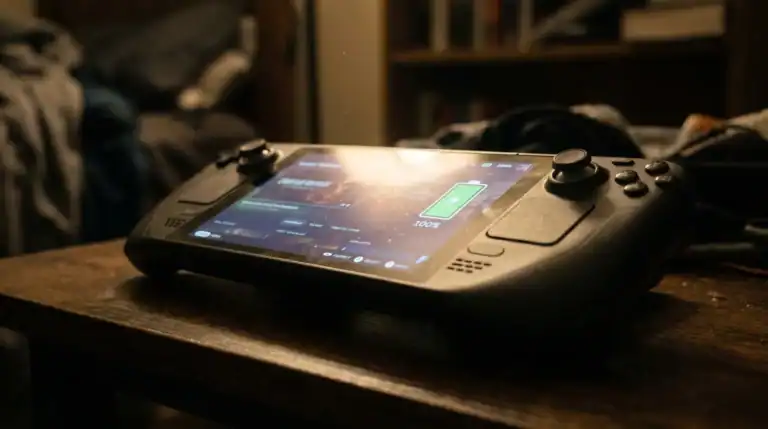
How to Increase Steam Deck FPS: 10 Settings That Actually Work
The Steam Deck has performance headroom most people don’t use. These settings pull more FPS out of the hardware you already have, no hardware upgrades, no mods, just configuration changes that work.
1. Use the Performance Overlay
Before changing anything, enable the performance overlay to see what’s actually happening. Press the three-dot button (Quick Access Menu) → Performance → enable the FPS counter and show battery/CPU/GPU stats. This tells you whether you’re CPU-bound, GPU-bound, or limited by power settings, and which fix to apply first.
2. Set a Frame Rate Limit (40fps or 60fps)
Uncapped framerates drain battery and cause inconsistent performance. Setting a target frame rate lets the Deck’s power management work properly. In the Quick Access Menu → Performance, set the frame rate limit to 40fps or 60fps depending on the game.
40fps at 40Hz (enable the 40Hz display refresh option) is a sweet spot for demanding games, noticeably smoother than 30fps while using significantly less power than chasing 60fps. Many games feel better at locked 40fps than unstable 60fps.
3. Enable FSR or NIS Upscaling
AMD’s FidelityFX Super Resolution (FSR) and NVIDIA Image Scaling (NIS) upscale lower-resolution renders to fill the screen. In the Deck’s Quick Access Menu → Performance, enable FSR and set the game resolution to 1024×640 (or lower) while displaying at native 1280×800. The Deck renders fewer pixels but upscales the result, significant performance gain with minimal visual quality loss.
For games that support in-game FSR (Cyberpunk, Elden Ring, etc.): enable it in the game settings instead of at the system level for better results.
4. Adjust the TDP Limit
TDP (Thermal Design Power) controls how much power the chip draws. The Deck’s default is around 15W. You can manually set it in Quick Access Menu → Performance → Manual GPU Clock / TDP.
- Increase TDP to 15W or higher: More performance for demanding games, shorter battery life
- Lower TDP to 8-10W: Less performance, significantly longer battery life, good for indie games and less demanding titles
For most gaming: leave TDP at default and let the Deck manage it. For specific demanding titles: bump to 15W. For travel on light games: drop to 8W.
5. Enable Half-Rate Shading
Half-rate shading reduces the frequency at which pixel shaders run, trading a small amount of visual quality for a meaningful performance boost. Find it in Quick Access Menu → Performance. It’s most effective in games with high shader workloads, open-world titles, anything with heavy post-processing. Barely noticeable visually at 1280×800 on a 7-inch screen.
6. Lower In-Game Graphics Settings
The most reliable FPS boost is lowering game settings. On a 7-inch 1280×800 screen, the difference between medium and ultra settings is much harder to see than on a 27-inch monitor. Prioritise:
- Shadow quality: One of the biggest performance costs. Drop from Ultra to Medium.
- Ambient occlusion: High cost, hard to notice at handheld resolution. Turn off or set to low.
- Anti-aliasing: If using FSR, disable in-game AA, FSR handles it.
- Volumetric effects: Fog, smoke, and light shafts are expensive. Drop to medium.
- Draw distance: Affects open-world games significantly. Medium is usually fine.
7. Check the Proton Version
Some games run faster on specific Proton versions. If a game is underperforming, try switching: right-click the game in Steam → Properties → Compatibility → force a different Proton version. Check ProtonDB (protondb.com) for community reports on which version works best for the specific game.
8. Use Per-Game Performance Profiles
The Steam Deck saves Quick Access Menu settings per game, every performance setting you configure in one game stays for that game only. Set up optimal profiles for each game you play regularly: TDP, frame limit, resolution scale. The Deck loads the profile automatically when you launch that game.
9. Keep SteamOS Updated
Valve regularly ships performance improvements and driver updates in SteamOS updates. Keep the system updated via Settings → System → Check for Updates. SteamOS 3.7+ brought significant performance improvements for many titles, and updates continue improving game compatibility and frame rates.
10. Install Games on the Internal SSD
Games installed on a microSD card load slower than games on the internal NVMe SSD. For demanding titles where loading times affect performance (open-world games with streaming), install on the internal drive. Keep the microSD for your back catalogue of lighter games.
Quick Reference
| Setting | Benefit | Where to Find |
|---|---|---|
| Frame rate limit (40fps) | Stable performance + battery | Quick Access → Performance |
| FSR upscaling | +20,40% FPS | Quick Access → Performance |
| TDP manual | More power when needed | Quick Access → Performance |
| Half-rate shading | +10,20% FPS | Quick Access → Performance |
| Lower shadow quality | +15,30% FPS | In-game settings |
| Per-game profiles | Optimal settings per game | Auto-saved per game |
Also see: Steam Deck Battery Life Guide | Steam Deck Tips and Tricks | What Is Proton on Steam Deck?